How to make an AI rap video from a photo
Upload one clear photo, give the name and two or three facts, and an AI writes the lyrics, produces the song and lip-syncs the photo to it in about five minutes. Lyrics are free with no account (20 a day), and your first 15-second song preview is free once you sign in.
7 min read · Updated
What you end up with
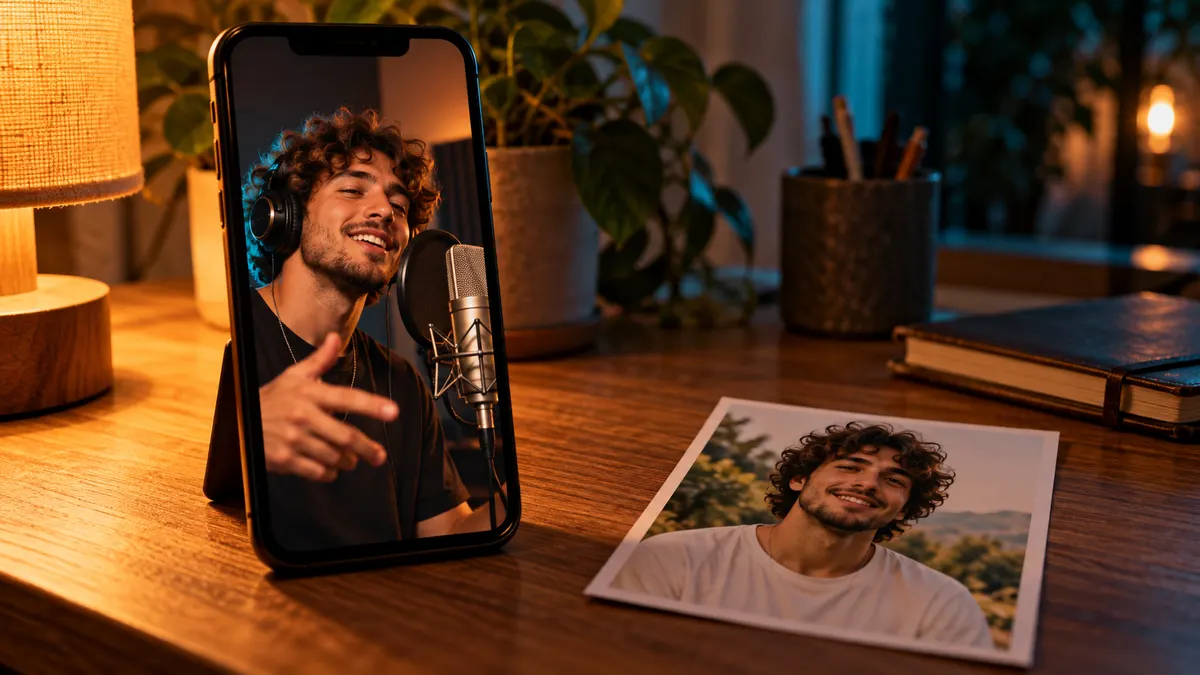
An AI rap video is a short vertical clip, 9:16 like a TikTok or a Reel, where the person in your photo raps a song written about them. Three things happen behind it: a language model writes the lyrics from the facts you give, a music model produces a track with a beat and a rap vocal, and a video model animates the photo so the mouth, head and eyebrows move in time with the words.
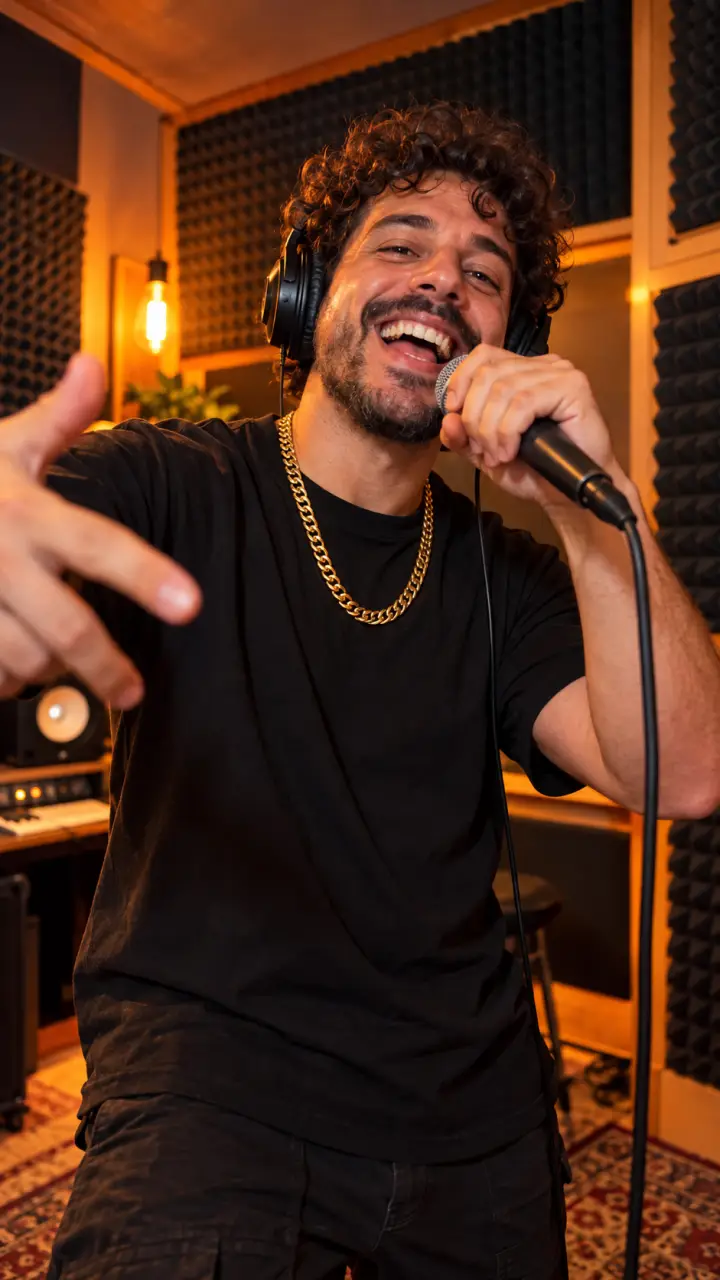
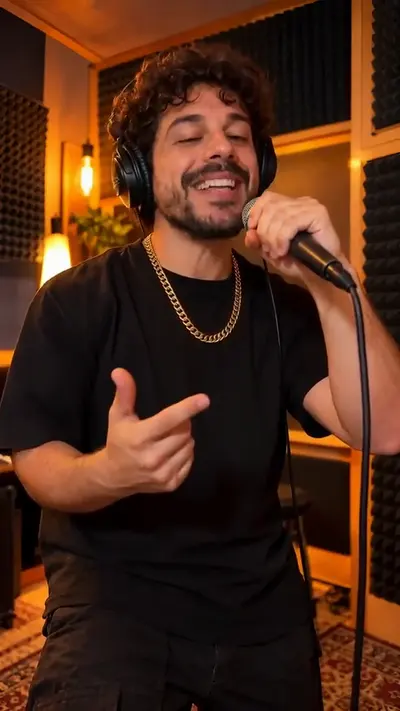
Here is a real one, made with the Studio Booth Solo template for a 30th birthday. The facts were "always late", "Taco Bell regular" and "gym selfies"; the beat is trap and the vibe is hype. Turn the sound on to hear the hook.
 “Thirty and still late”
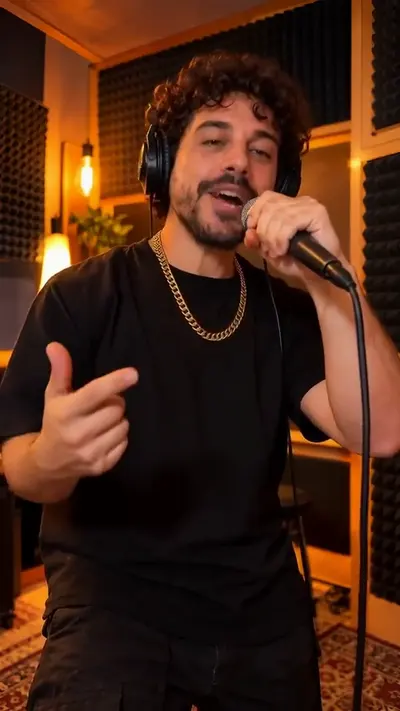 “Happy birthday Mike, you're still great”
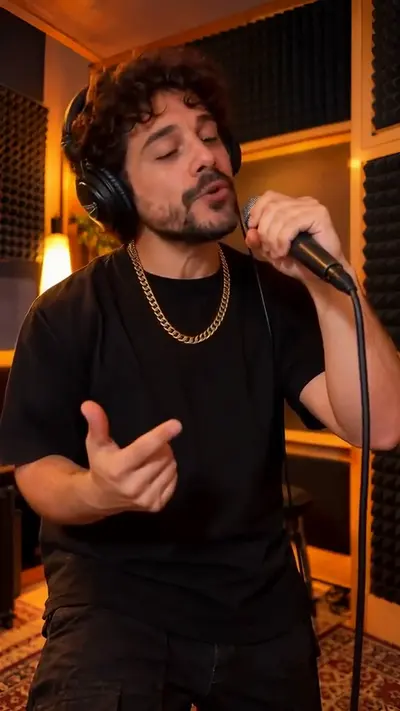 “Candles on the cake and the whole crew here”
The steps, start to finish
- Open the rap maker and pick a template: Studio Booth Solo for one person, Hotel Lobby Duo or Studio Booth Duo for two, Pet Rapper for a dog or cat.
- Type their name, the occasion (birthday, roast, anniversary, office farewell, Christmas, a pet or just for fun) and up to 3 facts only friends would know.
- Pick a vibe (hype, sweet or roast), a beat (trap, boom bap, drill or lo-fi) and a voice (male or female).
- Read the 16 bars it writes: a 4-bar hook and a 12-bar verse. Edit any line, or paste your own lyrics instead.
- Hear the song as a 15-second preview. Your first preview is free once you sign in.
- Upload the photo and approve the first frame: you see them in the booth before you pay for anything.
- Pick a length (10, 15, 20, 30, 60 seconds) and render. The video takes about five minutes and downloads as an MP4 without a watermark.
You pay only at the last step. Lyrics, the song preview and the first frame are there so you can check the words, the voice and the face before a credit is spent.
Give it facts, not adjectives
The lyrics are only as good as the facts. "Funny, kind, loves music" could be anyone, so the AI fills the gap with filler. A habit, a running joke or a small story gives it something to rhyme about. These are the first bars of the sample above, written from three short facts:
- Good facts: "always 30 minutes late", "orders the same thing at the same drive-thru", "cried at the dog movie".
- Weak facts: "nice", "loves pizza", "great friend". Turn each into something they did.
- Leave out looks, weight, health and anything they would not laugh at in front of their family.
Want help with the words first? How to write a rap about someone walks through a full 16-bar example, and the rap lyrics generator writes one for free with no account.
Pick a photo that lip-syncs well
The video model needs to see a mouth to move it. Most failed videos start from a photo where the face is small, turned away or covered. The first one below works; the other three are the usual mistakes.
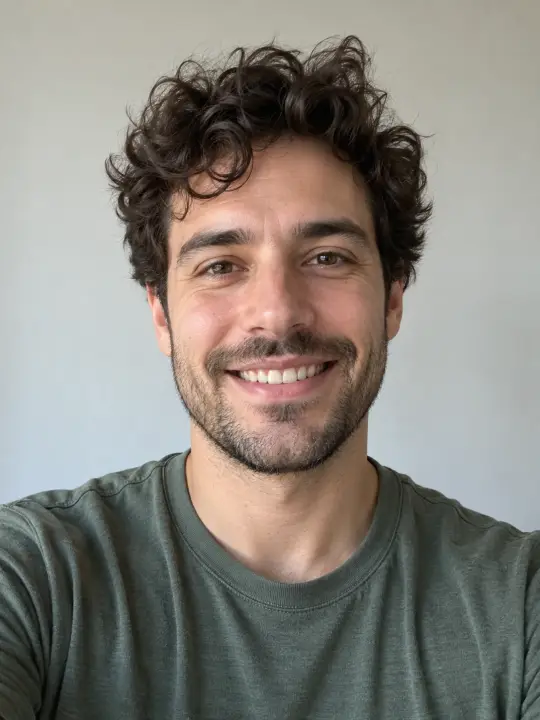 Do
Do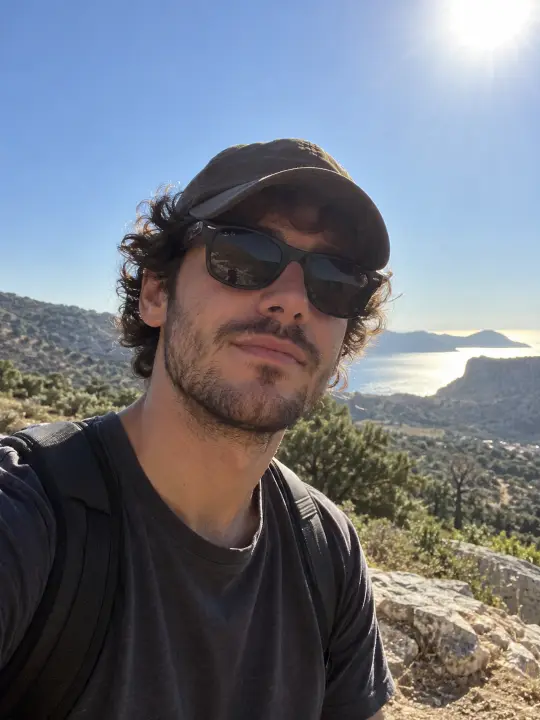 Avoid
Avoid Avoid
Avoid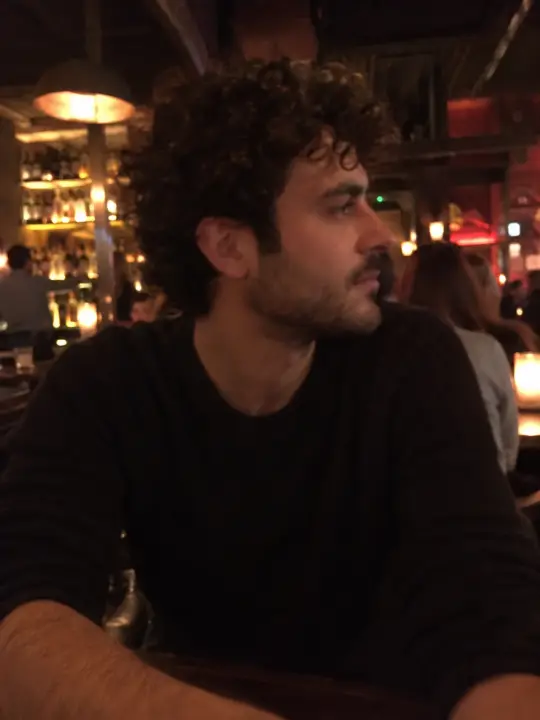 Avoid
Avoid- One face, looking at the camera, mouth closed or relaxed.
- Good, even light. Daylight from a window beats a dark bar.
- No sunglasses, masks, hands over the mouth or heavy filters.
- At least 512 pixels on the short side and under 10 MB. A phone photo is fine; a cropped screenshot of a group shot usually is not.
Only use photos of people who agreed to it. Public figures and anyone who looks under 18 are blocked.
Which template to pick
| Template | Photos | Best for |
|---|---|---|
| Studio Booth Solo | 1 person | Birthdays, roasts, a shout-out to one friend |
| Studio Booth Duo | 2 people | Best friends, couples, a toast from two people |
| Hotel Lobby Duo | 2 people | Weddings, a big announcement, two people with swagger |
| Pet Rapper | 1 dog or cat | A pet birthday, or just for fun |
| Song only | None | A rap song as an MP3 when you do not want a video |
What it costs
Videos cost 1 credit a second (duets 2) and run 10 to 60 seconds: a 15-second video is 15 credits, and packs start at $9.99.
| Length | Credits | Good for |
|---|---|---|
| 10 seconds | 10 credits | A quick reply or a story |
| 15 seconds | 15 credits | The hook: TikTok, Reels, a group chat |
| 30 seconds | 30 credits | Hook plus part of the verse |
| 60 seconds | 60 credits | The whole song, as a gift |
Duets use two faces and two voices, so they cost 2 credits a second and run 10 or 15 seconds (30 credits for the longest). The price shows before you render, and a failed render refunds its credits on its own. Every pack is on the pricing page, and the cheapest way to make one works through the maths.
Common mistakes
- Generic facts. "Loves pizza" fits anyone; "orders pineapple pizza at 2 a.m. and defends it" is a bar.
- Too many words for the length. A 15-second video plays the 4-bar hook, so put the name and the best fact there.
- A group photo. The lip-sync needs one face per photo; for two people, use a duet template with two photos.
- Skipping the first frame. If the face in the booth does not look like them, try another photo before you render.
- Choosing 60 seconds for social. Feeds reward short clips; keep the full song for the gift link.
Questions
How long does an AI rap video take to make?
About five minutes. Lyrics take seconds, the song preview under a minute, and the video render a few minutes.
Can I make an AI rap video for free?
Not the video. Lyrics are free with no account (20 a day), and your first 15-second song preview is free once you sign in. The video itself costs credits, from $3.12 for 15 seconds in a pack.
Can two people rap in one video?
Yes. The Hotel Lobby Duo and Studio Booth Duo templates take two photos and two voices, in 10 or 15 seconds.
Can I use my own lyrics?
Yes. Paste them in place of the generated bars, or edit any line before you make the song.
Does the video have a watermark?
No. Paid videos download as MP4 without a watermark.